
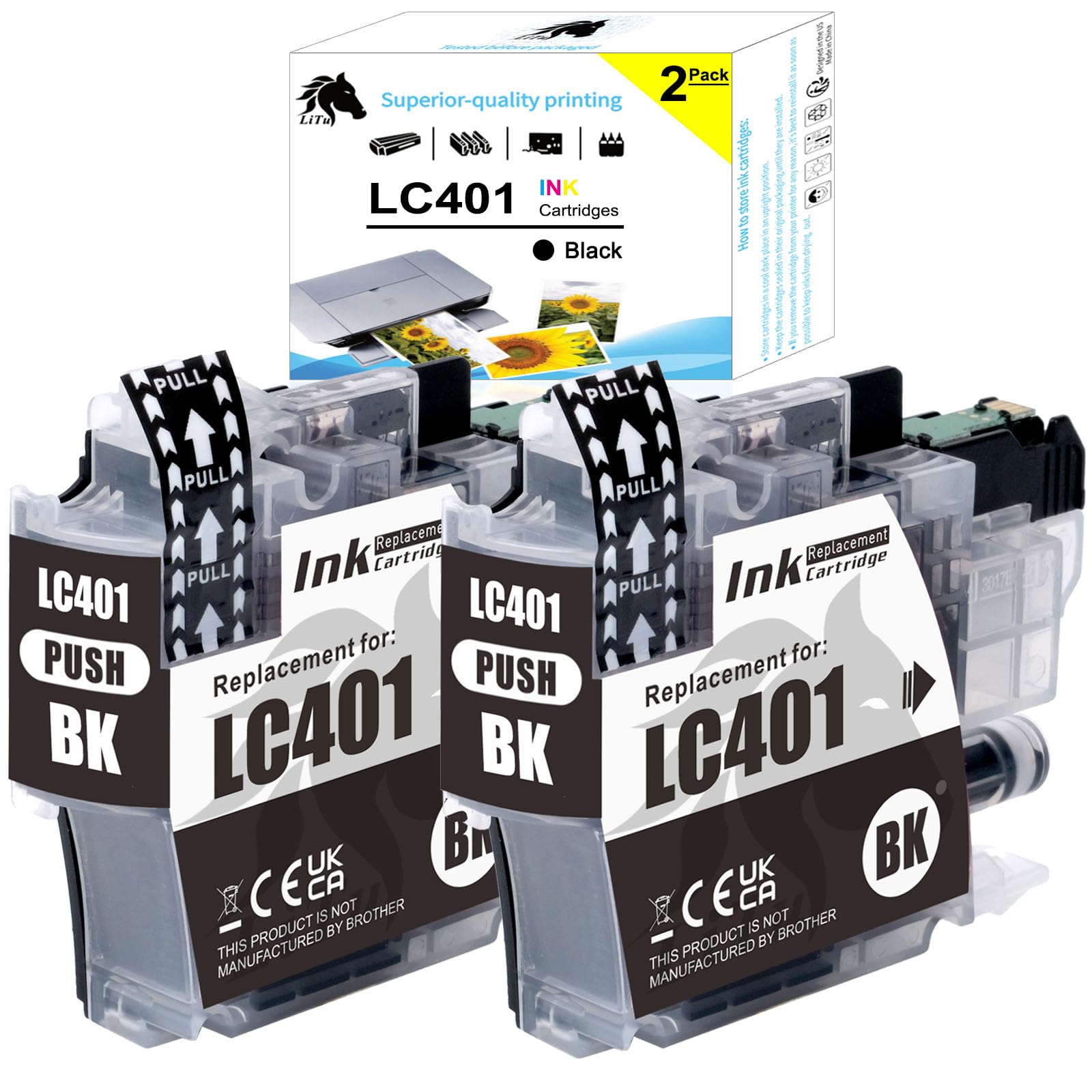
LiTuhorse 2-Pack LC401 Black Ink Cartridges for Brother LC 401 BK with 3-Party Compatible Chip Work with Brother MFC-J1010DW MFC-J1012DW MFC-1170DW($12.79Value)
$12.79
LiTuhorse 2-Pack LC401 Black Ink Cartridges for Brother LC 401 BK with 3-Party Compatible Chip Work with Brother MFC-J1010DW MFC-J1012DW MFC-1170DW($12.79Value)
Description
Newest Chip: LC401 Black Ink Cartridges for Brother Printer equipped with the latest smart chip, perfectly compatible with all new firmware versions Printer Compatibility: LC401 and LC401XL are universal, both are used for Brother compact, affordable inkjet all-in-one printers MFC-J1010DW, MFC-J1012DW, MFC-J1170DW and MFC-J1800DW High Yield: Up to 200 pages per LC401 black ink cartridge (At 5% coverage A4 paper) Package: 2-Pack LC401 black ink cartridges for Brother printer includes 2 x LC401bk Black, replacement for Brother LC401 OEM ink cartridges Same good performance as OEM: Produces clear black output and sharp images that withstand the test of time, fluent printing performance; Easy to install, just take out the empty ink cartridge, insert replacement cartridges and get back to printing without waiting or causing any mess; Strong packaging, no leaking Tested before packaging: Our compatible LC401 black ink cartridges for Brother printer are manufactured to strict quality standards in an ISO9001, ISO14001, STMC, CE and ROHS certified production lines Troubleshooting: 1) If the LCD displays “Non-Brother Genuine”, “?” or “Non Brother Ink” after installing the cartridge, kindly press “▶” to confirm using. If press “◀”, it will show “Insert Genuine Ink” or “Replace Ink”. Reinstall the ink and press “▶” to use. 2) If the LCD displays “No ink cartridge”, “Cannot Detect” or “Install Ink” after installing the cartridge, remove and reinstall the cartridge, then close the door, repeat the above steps 2-3 times until the error message disapears. 3) Non-Brother cartridges may display “?” in ink level indicators, it is normal and won’t affect functionality. Monitor actual ink levels via your connected computer.
This LC401BKS for Brother printer print standard-yield black ink cartridge provides high-quality, black prints that you can rely on for up to 200 pages. Our LC401BK ink cartridges are professionally engineered with brand new parts at a manufacturing facility that uses state-of-the-art processes to ensure that you will get the same print quality and performance at a cheaper price. All of these are filled with premium-grade ink for that always-vibrant photos and documents. And each cartridge is individually wrapped so you can grab them when you need them.
- 100% satisfaction guarantee
- Professional customer service
- Trouble-free installation
Packaging included:
2 x LC 401 BK Black
100% compatible with the following printers:
- For Brother MFC-J1010DW Wireless Color Inkjet All-in-One Printer;
- For Brother MFC-J1012DW Wireless Colour Inkjet All-in-One Printer;
- For Brother MFC-J1170DW Wireless Color Inkjet All-in-One Printer.
Warm tips:
1. Please reconfirm your printer model before placing an order, make sure your printer will use for Brother LC401 ink cartridges black.
2. Please keep it in a cool dry place, avoid direct sunlight, and Keep out of reach of children.
3. If the LCD displays “Non-Brother Genuine”, “?” or “Non Bro ther Ink” after installing the cartridge, kindly press “▶” to confirm using. If press “◀”, it will show “Insert Genuine Ink” or “Replace Ink”. Reinstall the ink and press “▶” to use.
4. If the LCD displays “No ink cartridge”, “Cannot Detect” or “Install Ink” after installing the cartridge, remove and reinstall the cartridge, then close the door, repeat the above steps 2-3 times until the error message disapears.
5. Non-Brother cartridges may display “?” in ink level indicators, it is normal and won’t affect functionality. Monitor actual ink levels via your connected computer.
More Information
| Color | LC401 Black 2-Pack |
| Size | LC401 Black Ink Cartridges With Standard Pages |
| Mpn | LC401BK-2PKS |
| Age_group | ADULT |
| Condition | NEW |
| Gender | UNISEX |
| Material | High Quality Ink |
| Product_category | Gl_office_product |
| Google_product_category | Office Supplies |
| Product_type | Office Products > Office Electronics > Printers & Accessories > Printer Parts & Accessories > Printer Ink & Toner > Inkjet Ink Cartridges |