
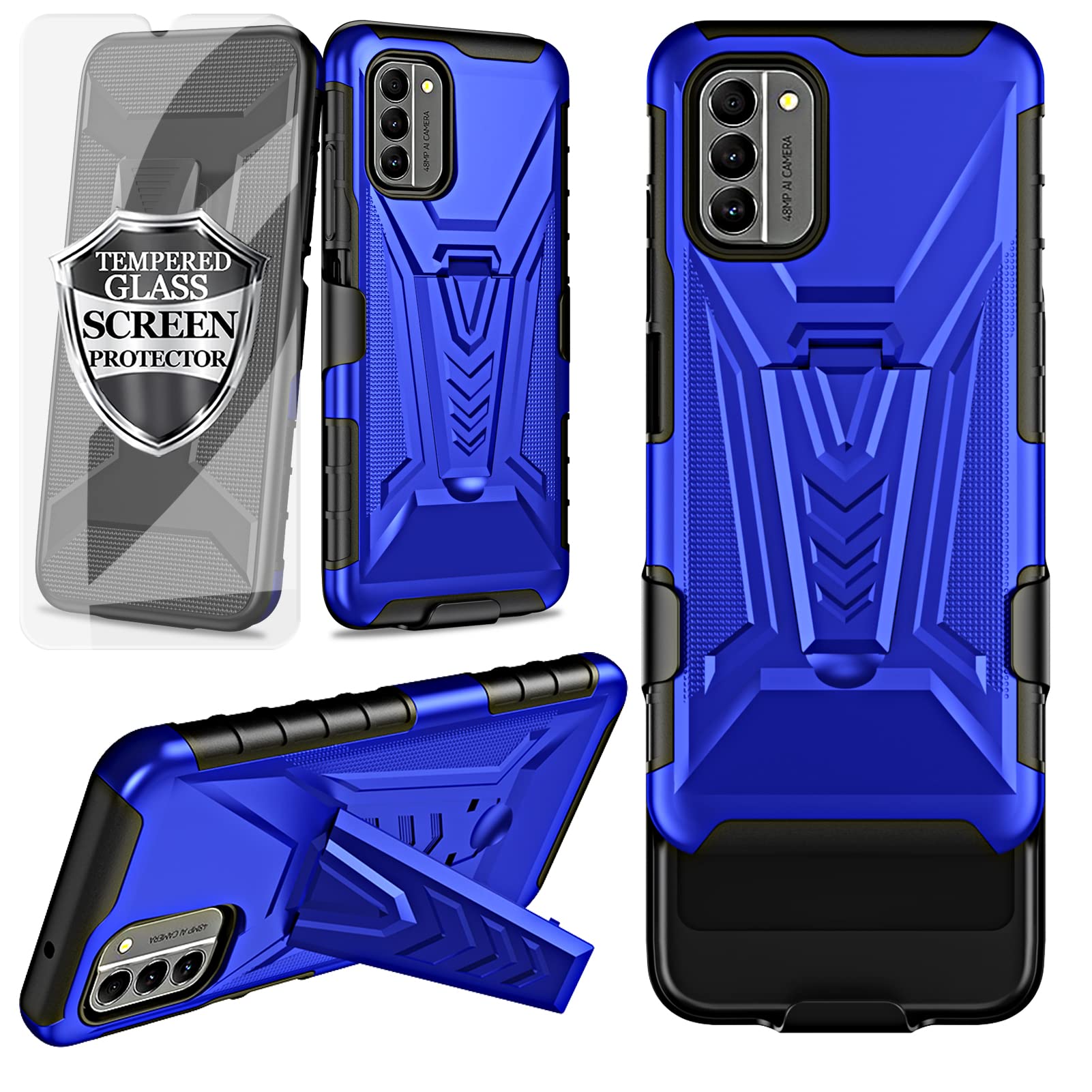
Ailiber Phone Case for Nokia G400, Nokia G400 N1530DL Holster with Screen Protector, Swivel Belt Clip Holster with Kickstand, Heavy Duty Full Body($10.99Value)
$10.99
Ailiber Phone Case for Nokia G400, Nokia G400 N1530DL Holster with Screen Protector, Swivel Belt Clip Holster with Kickstand, Heavy Duty Full Body($10.99Value)
Description
Design: Compatible with Nokia G400 5G N1530DL (6.58 inch, Released 2022), Android version 12 Only. Not for Nokia G300 (6.52 inch, Released 2021) Maximum protection - Silicone rubber bumper and hard plastic PC back. Skidproof lines. Reinforced the four corners. Drop resistance. Hard back & removable cover. Full protection in drops, scratches and bumps in outdoor activities and sports Tempered Glass Full Screen Protector - Full screen coverage, case friendly, scratch resistant, smooth feeling, high hardness, response and transparency, bubble free, anti-fingerprint, easy installation. Touch sensitivity. Handsfree Kickstand - watch video without holding. LOCKING SWIVEL BELT CLIP, rotate 180 degrees to offer carrying convenience. Steadily clamp on your belt, bag, pocket and jeans. Built-in cleaning kit to clean the screen. Slide the shell and holster apart from top to bottom Reliable Support: Crafted from scratch-resistant materials to keep your phone looking good over time. Designed for durability and style, suitable for daily life, outdoor adventures, and demanding work environments.
We also have other great designs and colors. Welcome to search " Ailiber + Nokia G400 5G " and find something new.
Product Features:
100% brand new and high quality.
Package:
1 x Heavy Duty Armor Belt Clip Holster with Tempered Glass Full Screen Protector for Nokia G400 N1530DL (6.58 inch, Released 2022), Android version 12 Only. Not for Nokia G300 (6.52 inch, Released 2021). Phone is not included.
About Us:
Ailiber a brand focused on Electronics Accessories for years. Our team works to bring high-quality, multifunctional and durable designs to our customers. We also have Wholesale customization demand.
Attention:
We will provide you with a satisfactory after-sales service in 24 hours.
Tips to help you better install your Screen Protector. You can search some videos about how to install screen protector first.
1. Keep hands clean and dry before installation. If needed, search for the installation video on the Internet first.
2. Gently pick up the Tempered Glass from the case.
3. Predict installation position on the phone. (Align and Tag guide sticker)
4. Make sure to clean all the Dust and Fingerprints on the screen
(1)Pre-moistened accessory. (2)Dry accessory. (3)Dust absorber.
5. Peel off the clear thin protective film from the screen protector back before applying on the phone.
6. Put the screen protector onto the screen horizontally and slowly. Tap the middle of the screen protector. And you are DONE. Congratulations.
7. Normally, the protector would be installed automatically. If there's a bubble, maybe there's dust in it. Gently scrape the bubble to the edge with your card.
More Information
| Color | Screen Protector & Blue |
| Age_group | ADULT |
| Condition | NEW |
| Gender | UNISEX |
| Material | Silicone |
| Product_category | Gl_wireless |
| Google_product_category | Electronics > Communications > Telephony |
| Product_type | Cell Phones & Accessories > Cases, Holsters & Sleeves > Holsters |