
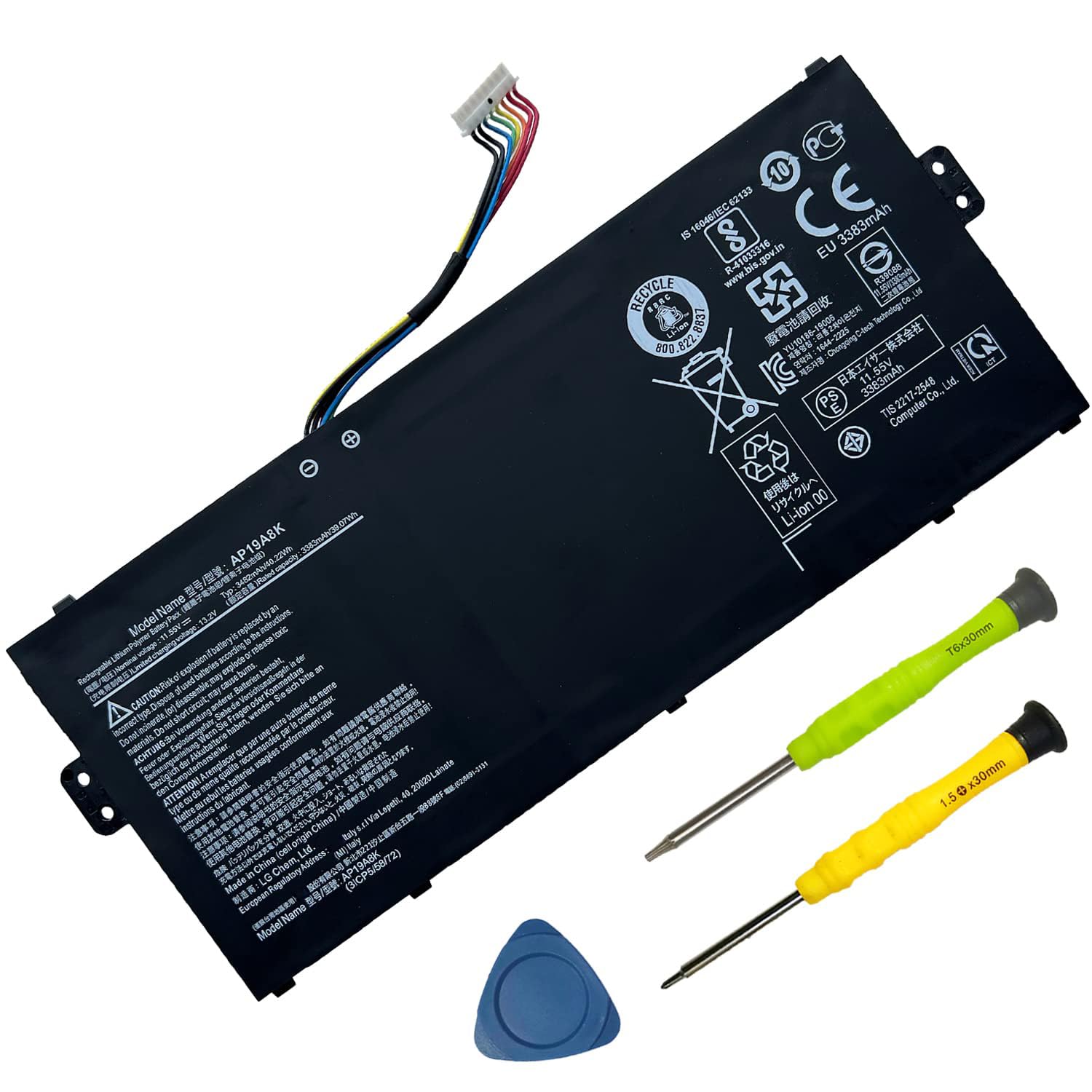
SUNNEAR AP19A8K Battery for Acer Chromebook Spin 311 CP311 CP311-1H CP311-2H CP311-1H-C1FS CP311-1HN-C2DV CP311-1H-C5PN CP311-2H-C7QD CP311-2H-C679($37.74Value)
$37.74
SUNNEAR AP19A8K Battery for Acer Chromebook Spin 311 CP311 CP311-1H CP311-2H CP311-1H-C1FS CP311-1HN-C2DV CP311-1H-C5PN CP311-2H-C7QD CP311-2H-C679($37.74Value)
Description
【Specifications】 Model: AP19A8K Capacity:40.22Wh/3482mAh Voltage:11.55V Battery Type:. Also comes with installation tools 【Compatible Part Number】 AP19A8K 3ICP5/58/72 【Compatible Laptop/Notebook Models】①Replacement for Acer Chromebook Spin 311 series:CP311 CP311-1H CP311-2H CP311-1H-C1FS CP311-1H-C5PN CP311-CP311-1HN-C2DV CB311-9HT CB311-9H-C4XC CB311-9H-C1JW CB311-9H-C12A CB311-9H-C7C8 CP311-1HN-C2DV CP311-2H-C679 CP311-2H-C7QD CB311-9H ②for Acer Chromebook Spin 511 R752T R752TN series 【Purchasing Note】: Due to the complexity of laptop battery models, you may not be able to accurately determine the model you need to purchase,Please open the back cover of the laptop to confirm the original battery model number 【Tips】If the new battery is not recognized during the initial installation, please reinstall and check if the interface is fully connected. Run the new battery down to 5% (not 0%), then top up its power and complete 3-4 power cycles to wake up the new battery. *About SUNNEAR:
SUNNEAR focus on laptop batteries, to each of our customers with high-quality laptop battery. The satisfaction from customer is our forever target.
We have a professional team, focus our major and value every client. Thanks for your purchase!
*Specification:
*Voltage: 11.55V
*Capacity: 41Wh /3550mAh.
*Compatible Part Number:
AP19A8K 3ICP5/58/72.
*Fit for:(Use "Ctrl" + "F" to find your models quickly)
①Replacement for Acer Chromebook Spin 311 series:CP311 CP311-1H CP311-2H CP311-1H-C1FS CP311-1H-C5PN CP311-CP311-1HN-C2DV CB311-9HT CB311-9H-C4XC CB311-9H-C1JW CB311-9H-C12A CB311-9H-C7C8 CP311-1HN-C2DV CP311-2H-C679 CP311-2H-C7QD CB311-9H ②for Acer Chromebook Spin 511 R752T R752TN series.
*Worry-Free Warranty:
At SUNNEAR, we believe in our battery. That's why we support 30 days of refund for 12 months warranty, and provide friendly customer service, easy to support.
*For Optimal Use Battery:
①Run down the new battery to 5% (not 0%), then replenish power and cycle 3-4 times to wake up the new battery.
②The important point is to perform a full power run-down followed by a full power replenishment every other month to extend battery life.
③When using external power for a long time, it is recommended to remove the battery to avoid affecting battery life.
④Avoid artificial shocks, disassembly, fall, heat or short circuit.
⑤Avoid using the battery in an environment where the temperature is too high or too low.
More Information
| Size | 10.35*5.98*1.26 Inches AP19A8K |
| Mpn | AP19A8K |
| Age_group | ADULT |
| Condition | NEW |
| Gender | UNISEX |
| Product_category | Gl_pc |
| Google_product_category | Electronics > Computers |
| Product_type | Electronics > Computers & Accessories > Laptop Accessories > Batteries |