
How Can You Avoid Online Scams and Stay Safe in 2026?
Key Takeaways
- Double-check every message or website before you share your passwords, payment info, or anything personal.
- Pick strong, unique passwords and turn on multi-factor authentication for all your important accounts.
- Watch out for common phishing scams-pay close attention to strange email addresses, sketchy links, and messages that sound urgent.
- Keep an eye on your financial accounts so you can spot fraud or identity theft protection fast.
- If you do get scammed, don't wait. Call your bank, change your passwords, and report the scam right away.
Online scams keep getting smarter. A single text, a tempting "investment opportunity," or a fake shopping site can grab your money-or your personal info-in no time.
The FBI's Internet Crime Report shows Americans are losing billions every year to stuff like phishing, online shopping scams, and investment fraud. Hackers use everything from AI to good old trickery, and their fake websites can look just like the real thing.
If you've ever wondered how to protect yourself from online scams and phishing attacks, you're not alone. Here's what you need to know about spotting and avoiding online scams, how to avoid internet fraud, how to stay safe online from scammers, online security tips, which ones are most common in 2026, and what to do if you fall for one.
What are Online Scams?
Online scams are just tricks-schemes cooked up on the internet, email, texts, social media, or apps-to fool you into handing over money, passwords, or personal details.
Usually, scammers want you to act fast. They pretend to be banks, payment companies, government agencies, online stores, investment experts, romantic interests, or even tech support. They play on fear, excitement, or urgency to catch you off guard.
The first step to beating them? Just understanding these pressure tactics.
What are the Most Common Online Scams in 2026?
Scams keep evolving, but a few types are everywhere.
Phishing
Phishing is pretty simple. You get an email, text, or see a website that looks official warning about a problem with your account. You click a link or hand over your info-and that's all it takes.
Online shopping scams
Ever see a deal that's way too good to be true? Fake stores love to advertise crazy-low prices. People pay up, then either never get the product or receive something totally fake. Worst of all, you've just handed the scammers your payment info.
Online investment scams
Here, someone dangles foolproof returns or "guaranteed" crypto profits. The catch? Real investments always involve some risk. If they say you literally can't lose, it's a huge warning sign.
Online dating scams
This one's brutal. Scammers build fake online relationships, get you invested emotionally, and then ask for money because of a "crisis." It's one of the fastest-growing internet crimes in the world.
Must Try: AI Brand Strategy 2025 Enabling Hyper Personalized Branding
How to Identify Online Scams?
Learning to spot a scam can stop most attacks before any damage is done.
Check the sender
Look carefully at email addresses, web links, and phone numbers. Scammers tweak one or two letters so fast you might miss it.
Watch for urgent language
Messages that scream "ACT NOW!" or threaten to shut down your account are trying to stress you out so you act without thinking.
Check links before you click
Hover over a link on your computer (or hold your finger on your phone) to see where it actually goes. If it looks weird or isn't related to the company, don't click.
How to Protect Yourself From Online Scams and Phishing Attacks?
Building a few strong habits gives you the best protection:
Make strong passwords
Use long, unique passwords for every important account. Password managers make this easy.
Turn on multi-factor authentication
Multi-factor authentication adds a step-like a text code or an app. Even if a scammer gets your password, they can't log in without the second piece.
Update your software
Always keep your phone, computer, browser, and apps updated. Updates patch security flaws that cybercriminals love to use.
Skip public wi-fi for sensitive stuff
Don't handle banking or shopping on public Wi-Fi unless you're running a reliable VPN.
Scam Prevention Checklist
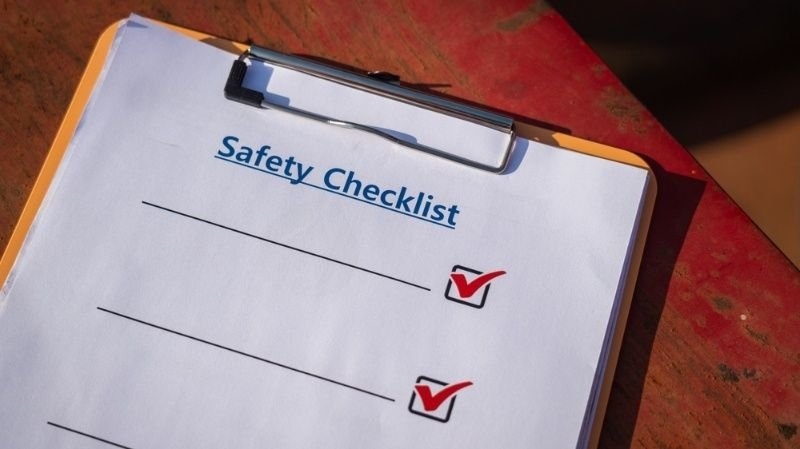
Before replying to anything suspicious, run through this mental checklist:
- Is the sender verified? Check their info on the official site or by phone.
- Does the message sound oddly urgent? Slow down-investigate first.
- Does a link look off? Don't click.
- Are they asking for passwords or payment? Don't give it. Contact the company directly to check.
- Is the offer crazy good? That's usually a scam.
Use this quick routine, and your odds of falling for online payment fraud or phishing drop sharply.
Try This: Use AI & Automation to Power Growth of Company Startups 2025
What Should You do if You Fall Victim to an Online Scam?
Act fast.
Call your bank
Report anything fishy and ask them to freeze cards, reverse payments, or add extra monitoring. Moving quickly makes a difference.
Change your passwords
Start with the affected accounts, then update others that might be at risk. Turn on multi-factor authentication if you haven't already.
Report the scam
Tell local police, consumer protection agencies, and the platform where the scam went down. Reporting helps stop the scammer and protects other people.
Get these steps handled fast, and you'll limit the damage and make it harder for scammers next time.
Cyber Safety for Families
Good cyber safety is a family deal.
Teach kids about phishing
Make sure kids know to avoid strange links, downloads, or sharing personal stuff with anyone online.
Create a family verification rule
Decide together: If anyone gets a message or call asking for money, gift cards, passwords, or account access, ask a trusted adult before acting.
Check privacy settings
Go over privacy settings on social, gaming, and messaging apps. Make sure strangers can't see your info.
The sooner your family builds these habits, the safer everyone will be.
Conclusion
Online scams keep changing, but the main defense stays the same: slow down, check everything, and keep your accounts locked down with good security. We've covered how to spot scams, recognize phishing, steer clear of shady stores and investments, and what to do if things go south.
Remember, legit companies don't demand payment or passwords by surprise email or text. Taking a few minutes to verify can save you months of trouble.
For more tips and security guides, Accoona.com is here to help you make smarter, safer choices online.
Start building these habits today. Stay cautious so you can shop, bank, and chat with confidence and peace of mind.
FAQs
Can Scammers Use QR Codes?
Absolutely. Scammers are using fake QR codes more and more-sometimes called "quishing." They can send you to counterfeit banking pages or phony login sites. Always double-check where a code comes from, and look at the web address before entering info.
Is It Safe to Save Your Credit Card in Shopping Apps?
It's convenient in trustworthy apps, but there's always some risk if your account gets hacked. Stick with strong passwords and multi-factor authentication, and shop only with retailers you trust. If an app seems sketchy or doesn't explain security measures, don't save your card info there.
How Often Should You Check Your Credit Report?
Check it at least once a year-or more often if something seems off or you know your data's been compromised. Regular checks help you spot fraud early, before it turns into a major headache.
Do Social Media Quizzes Steal Your Info?
Sometimes, yes. Even those "fun" quizzes can collect details like your first pet or favorite teacher-common answers for security questions. Scammers use these for internet fraud and to break into your accounts.
What's the Safest Way to Check a Suspicious Call?
Hang up. Look up the company's official number from their website, bank statement, or app, then call them yourself. Never use the call-back number that just called you-scammers can fake caller ID to look legit.
Categories
- Arts & Entertainment 100
- Automotive 186
- Business & Professional Services 219
- Construction & Contractors 298
- Clothing & Accessories 76
- Community & Government 95
- Computers & Electronics 74
- Education 75
- Food & Dining 86
- Health & Medicine 186
- Legal & Financial 100
- Home & Garden 179
- Industry & Agriculture 105
- Media & Communications 44
- Personal Care & Services 73
- Real Estate 68
- Shopping 74
- Sports & Recreation 87
- Travel & Transportation 102
- Animals & Pets 11
- Arts 9
- Community 9
- Chain 607
- Computers & Internet 8
- Health Care 10
- Communication & Media 7
- Shopping & Retail 10
- Health & Beauty 9
- Education & Schools 8
- Financial & Legal Services 14
- Home & Office 13
- Lawyers & Legal Services 7
- Financial & Services 1